
How to Apply for GST Registration Online in India – Complete Guide
GST registration is mandatory for businesses that cross the prescribed turnover limit or fall under specific categories defined by GST law. Applying for GST registration online is a simple and fully digital process through the official GST Portal.
This guide explains who should register for GST, required documents, and the step-by-step GST registration process online.
What Is GST Registration?
GST registration is the process by which a business becomes a registered taxpayer under the Goods and Services Tax (GST) system. Once registered, the business:
Can collect GST from customers
Can claim Input Tax Credit (ITC)
Must file GST returns regularly
Who Should Apply for GST Registration?
You must apply for GST registration if:
Annual turnover exceeds:
₹40 lakh (goods)
₹20 lakh (services)
You make inter-state supplies
You sell through e-commerce platforms
You are a casual taxable person
You are required to register under GST law compulsorily
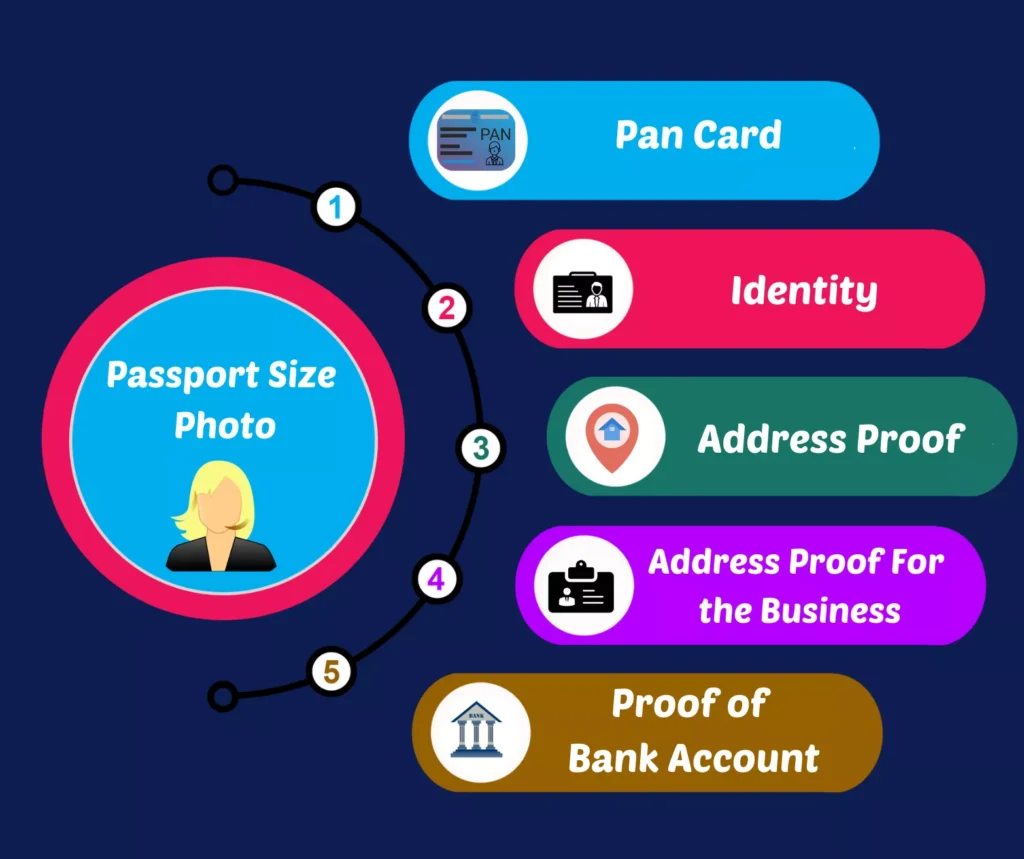
Documents Required for GST Registration
Before starting the application, keep the following documents ready:
Business Details
PAN of business or proprietor
Business name and address
Nature of business activities
Owner / Promoter Details
PAN card
Aadhaar card
Passport-size photograph
Address Proof
Electricity bill / Rent agreement / Property tax receipt
Bank Details
Bank account number
IFSC code
Cancelled cheque or bank statement
Step-by-Step Process to Apply for GST Registration Online
Step 1: Visit the GST Portal
Go to the official GST Portal and click on Services → Registration → New Registration.
Step 2: Fill Part A of the Form
Enter:
PAN
Mobile number
Email address
Verify using OTP.
Step 3: Fill Part B of the Application
After OTP verification, log in and fill:
Business details
Address details
Promoter information
Bank account details
Step 4: Upload Documents
Upload all required documents in the prescribed format.
Step 5: Submit Application with DSC / EVC
Submit the application using:
Digital Signature Certificate (DSC) or
Aadhaar-based OTP verification
Step 6: Receive ARN
After submission, you’ll receive an Application Reference Number (ARN) to track status.
GST Registration Approval Time
Normal cases: 7 working days
If clarification required: Up to 30 days
Once approved, you’ll receive your GSTIN (GST Identification Number).
Common Mistakes to Avoid During GST Registration
Incorrect PAN or Aadhaar details
Wrong business address
Missing documents
Mismatch in bank details
Selecting incorrect business type
Avoiding these mistakes ensures faster approval.
How to Manage GST After Registration?
After GST registration, businesses must:
Issue GST-compliant invoices
Maintain proper records
File GST returns on time
Using Sonic Software makes post-registration GST compliance easy with:
GST-ready billing
Automatic tax calculation
Invoice & return management
🚀 Get Started with GST Registration & Compliance Today
Applying for GST registration is just the first step. Managing GST billing, invoicing, and returns efficiently is what keeps your business compliant and stress-free.
With Sonic Software, you can:
Generate GST-compliant invoices easily
Automate GST calculations
Maintain accurate billing records
File GST returns without errors
Save time and avoid penalties
👉 Ready to Simplify GST for Your Business?
Applying for GST registration is just the first step. Managing GST billing, invoicing, and returns efficiently is what keeps your business compliant and stress-free.
With Sonic Software, you can:
Generate GST-compliant invoices easily
Automate GST calculations
Maintain accurate billing records
File GST returns without errors
Save time and avoid penalties
📞 Have questions? Call us at +91 63563 52345 — our experts are happy to help.
Frequently Asked Questions (FAQ)
Yes, GST registration on the GST portal is completely free.
No, PAN is mandatory for GST registration.
Aadhaar authentication is mandatory for faster approval, though alternative verification may be allowed.
Yes, GST registration can be cancelled if the business is closed or turnover falls below the threshold.
Yes, GST registration is mandatory for e-commerce sellers, regardless of turnover.